


StaffTraveler
4.7915.00 Reviews
App Specs
- Version
- 3.24.0
- Updated On
- License
- Free
- Downloads
- 100,000+
- Developer
- StaffTraveler Solutions B.V.
- Categories
- Travel & Local
- Platform
- Android
Screenshots
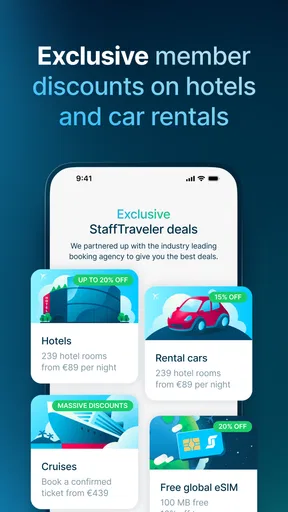
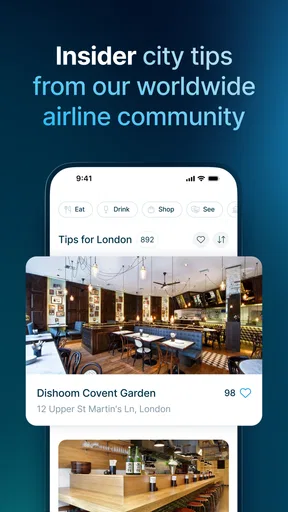
 Analysis by AppCompare
For airline staff travelling standby, the hardest part is often not choosing a destination but working out how feasible a particular flight might be. StaffTraveler is built around that practical question: it connects staff who can share flight-load information with people trying to plan a non-revenue trip. I see its main value as better preparation, not a promise of a seat. That distinction matters, because standby travel can change quickly and no app can turn uncertain space into a confirmed booking.
A planning tool for a specific kind of traveller
This is a travel and local app from StaffTraveler Solutions B.V., aimed at airline staff rather than the general holiday-booking public. It is free to download, has a 4.7 average from around 4.1K ratings, and has passed 100K installs. The Everyone age rating makes it broadly accessible, but the usefulness is much narrower than that label might suggest: its central purpose makes the most sense to people who already have access to standby travel and understand how it works.
The important question is not simply whether a flight looks open, but how that information should affect your plan. I would use a load report to compare possible departures, decide whether to leave earlier, or identify a backup route—not treat it as a guarantee. If you need to arrive at a fixed time for a wedding, work shift, or appointment, a confirmed ticket or another dependable transport option may be the wiser choice.
How I would use the information
A realistic use is a staff traveller checking a route the evening before a trip, then comparing the preferred flight with another departure or connection before committing to a plan. Rather than asking only about the first flight that comes to mind, I would check the alternatives that still work for my schedule. That makes the community’s information more useful: it can help with a decision between options, even when it cannot remove the uncertainty attached to any one of them.
There is also a useful distinction between a report and a live booking system. StaffTraveler’s community-based approach can save the effort of seeking information through separate channels, but a reply reflects what someone has shared, not a seat held in your name. I would check the timing and context of a response before relying on it, and refresh my plan when circumstances change. For a traveller with flexibility, that can be genuinely helpful; for someone who needs certainty, it is a reason to keep another option ready.
Where it fits among travel tools
Compared with ordinary flight-search apps, which help the public compare bookable itineraries, this app addresses a different problem: assessing standby possibilities. A conventional search tool is the better starting point when you need a confirmed fare, want to compare standard ticket options, or are travelling without staff standby privileges. StaffTraveler is more relevant when the question is whether a non-revenue itinerary looks workable and you can adapt if it does not.
That makes it a complement rather than a replacement for an airline’s own systems or general travel planning. I would use it to narrow down possibilities, then use the appropriate airline or booking channel for the actual travel arrangements. Keeping those roles separate helps avoid a common planning mistake: treating useful community insight as the same thing as an official, guaranteed seat.
Worth Reading Before You Choose

Flipboard Shows What News Apps Must Do Beyond the Feed

Switching to Android Auto Means Rethinking Your Driving Routine

Google Calendar Makes a Crowded Week Easier to Manage

Ludo King Makes the Most of the Minutes Between Plans

Baby Panda World Brings Quick Play to Modern Phones, but Its Game Library Feels Busy

ESPN’s Live Game View Makes Following Close Games Easier
Getting Started with StaffTraveler
First things first, downloading StaffTraveler is a breeze. Available on both Android and iOS, it’s just a quick search away in your app store. Once installed, you'll need to create an account. It's a straightforward process—nothing complicated, just your basic info and you're in. I was pleasantly surprised by the clean, user-friendly interface. It’s like they knew I was a sucker for simplicity.
How It Works
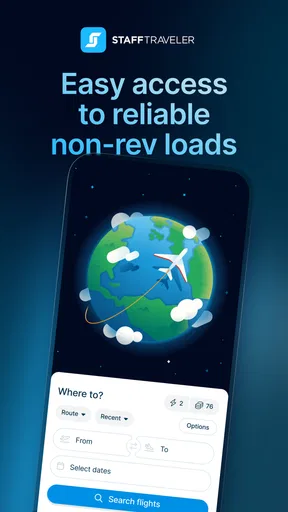
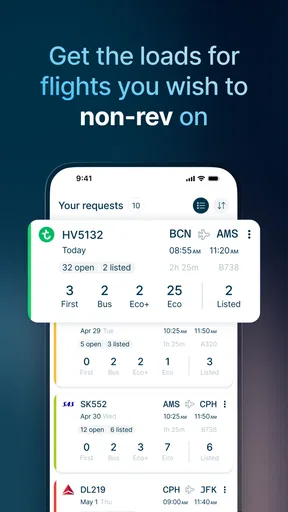
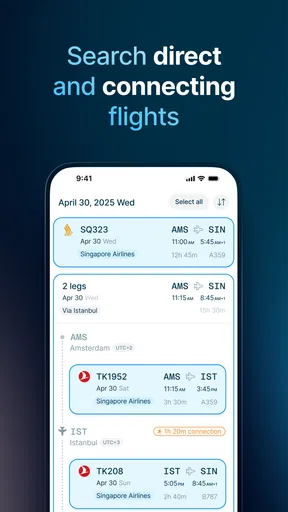
So, what’s the magic behind StaffTraveler? Essentially, it connects airline staff worldwide, providing real-time availability for standby flights. Imagine having a community of airline insiders giving you the scoop on open seats—that’s exactly what this app offers. You simply enter your desired route and date, and within minutes, you get updates from other users about seat availability. It’s like having your very own travel intel team.
What I love most is how responsive the community is. You post a request, and boom, answers start rolling in. The app incentivizes users with credits for providing info, which keeps the community active and engaged. It's a win-win setup, really.
Making requests work harder
A small but useful planning habit is to make requests for realistic alternatives rather than scattering them across every imaginable route. If a direct flight is your first choice, consider which connection or nearby departure you would actually take if that option looks less promising. This turns the answers into a decision aid instead of a pile of interesting but unusable information. It also helps you think through ground transport, timing, and how much flexibility you truly have before setting off.
I would also avoid treating a quick response as a reason to stop checking. Community replies are valuable because they bring people into the process, but the conditions behind a load can shift. For a journey with several legs, reassess each part of the itinerary rather than assuming that a promising first flight makes the whole trip safe. The practical benefit is not certainty; it is having more informed choices and a clearer backup plan.
Features That Stand Out
The app isn’t just about checking seat availability; it’s packed with features that cater to the needs of airline staff. There’s a handy request history section where you can track your previous queries, making it easy to plan recurring routes. Plus, the notification settings are customizable, so you’re only alerted about the routes you care about.
Another cool feature is the user rating system. It ensures that the information shared is reliable, as users are rated based on their responsiveness and accuracy. This builds trust within the community, which is crucial when you’re banking on getting that last-minute flight.
Useful habits, with a little caution
Request history is most helpful when it supports a repeatable routine, such as checking a route you travel regularly or reviewing what you asked about before. I would use it as a reference for my own planning, not as evidence that a similar flight will have the same outcome next time. Each trip deserves a fresh check, especially if the date, route, or travel conditions differ.
Notifications can make it easier to notice replies without repeatedly opening the app, but I would keep them focused on trips I am actively planning. Too many alerts can become noise, while too few may mean I miss a useful answer. The user-rating system offers another signal when judging a reply, but ratings are best treated as context rather than a guarantee. My approach would be to combine the response, its relevance to the planned flight, and a backup option before making a decision.
Costs, access, and expectations
The app itself is free, though in-app purchases range from $0.99 to $44.99 per item. I would start by understanding how the free experience fits my own travel routine before spending anything. The best value depends on how often I need standby information and whether the app’s community answers are useful for the routes I actually travel; occasional users may have different needs from people who plan non-revenue trips often.
StaffTraveler is currently at version 3.3.0 and requires Android 10 or later. If you are considering it for a device, checking that operating-system requirement first can save an unnecessary download attempt. Its 882 written reviews offer more detailed user opinions alongside the overall rating, which can be useful if you want to compare other travellers’ experiences with your own expectations.
Who should choose it—and who should not
I would recommend trying it if you are airline staff, already travel standby, and are comfortable making decisions with incomplete information. The community model is particularly appealing when your schedule has room to move: an early departure, a later flight, or an alternate route may all be acceptable. In that situation, a quick view of reported availability can help you choose where to focus your effort.
I would skip it as a primary planning tool if you are an ordinary traveller looking for public fares, or if you cannot risk arriving late. It is also a poor fit for a trip where the only acceptable outcome is reaching a destination at a precise time. A traditional booking tool is better for confirmed travel, and official airline channels remain the place to handle the actual arrangements. The app can inform a standby decision; it cannot make standby behave like a confirmed reservation.
Why It’s a Game Changer
Now, let’s talk about why StaffTraveler is a game-changer. Traveling standby can be nerve-wracking, but this app turns the chaos into a more predictable experience. Knowing seat availability in advance allows you to plan better and reduces the stress of traveling on standby. Plus, the sense of community is strong, making the whole process a lot more enjoyable.
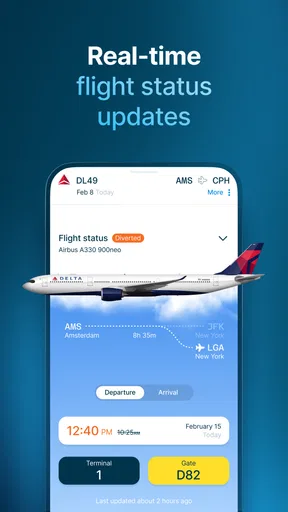
The app’s efficiency in delivering real-time updates is impressive. It saves time and effort compared to the traditional way of contacting multiple airlines. And let's not forget the cost-saving aspect—knowing your options ahead of time can potentially save you from unnecessary expenses.
What “real time” means for a flexible plan
For me, the strongest case for the app is not that every answer arrives instantly or settles the question once and for all. It is that reports from other users can make a standby plan less of a blind guess. I would build a simple decision rule before travelling: decide which alternative I will try if the preferred option looks poor, how long I am willing to wait, and when I will switch to a confirmed or otherwise more dependable plan. Thinking this through beforehand makes the information easier to act on under pressure.
That preparation matters most when the trip has multiple moving parts. If missing one flight would also mean losing a hotel night or an onward commitment, a low-friction alternative may be more valuable than chasing the most appealing but uncertain itinerary. On the other hand, for a flexible personal trip where a delay is manageable, the community’s insight can help make standby travel feel more considered without pretending it is predictable.
Final Thoughts
In a world where time is of the essence, StaffTraveler is like a breath of fresh air for airline staff. It combines technology and community in a way that makes standby travel less daunting and more manageable. Whether you're a frequent flyer or someone who occasionally takes to the skies, this app is worth a spot on your phone. So next time you’re planning a trip, give StaffTraveler a go and experience the ease of standby travel like never before.
With its seamless interface, engaged community, and reliable information, it's no wonder this app is becoming a staple for airline staff worldwide. Happy travels!
My verdict
I like the clear purpose here: this is not another general flight finder, but a community-based tool for people navigating standby travel. Request history, notifications, and user feedback help make the process more organized, while the need to interpret replies and keep a fallback plan is a real trade-off rather than a minor detail. If you have staff access and flexibility, I think it is worth trying; if certainty is essential, choose a confirmed booking or another dependable option instead.
Pros
- Easy access to flight loads info.
- User-friendly interface design.
- Supports multiple airlines.
- Quick response from other staff.
- Affordable subscription options.
Cons
- Limited to airline staff only.
- In-app ads can be intrusive.
- Requires internet connection.
- Some flights not covered.
- Occasional app crashes.
FAQs for StaffTraveler
What is StaffTraveler and how does it work?
StaffTraveler is an app designed to help airline staff find and book available seats on flights using the non-rev travel system. Users can request detailed load information from other airline employees, making it easier to plan trips. The app connects airline staff worldwide, facilitating seamless travel coordination.
Is StaffTraveler free to use or are there any costs involved?
While StaffTraveler is free to download, it operates on a credit-based system. Users earn credits by answering load requests from other members, or they can purchase credits. This system ensures active participation and helps maintain accurate and timely information for all users.
How secure is my personal information on StaffTraveler?
StaffTraveler prioritizes user privacy and employs robust security measures to protect personal data. The app uses encrypted connections and complies with data protection regulations. Users can rest assured that their information is handled with the utmost care and only shared as necessary for the app’s functionality.
Can StaffTraveler be used by anyone or is it exclusive to airline staff?
StaffTraveler is specifically designed for airline employees who participate in non-rev travel. Users need to verify their employment with an airline to access the app’s features. This exclusivity ensures that the community remains relevant and useful for its intended audience.
What devices and operating systems support StaffTraveler?
StaffTraveler is available on both Android and iOS platforms, making it accessible to a wide range of devices. Users can download the app from the Google Play Store or the Apple App Store, ensuring compatibility with most smartphones and tablets.


